


Telegram
3.8186.43K Reviews
App Specs
- Version
- Varies with Device
- Updated On
- License
- Free
- Downloads
- 1,000,000,000+
- Developer
- Telegram FZ-LLC
- Categories
- Communication
- Platform
- Android, iOS
Screenshots
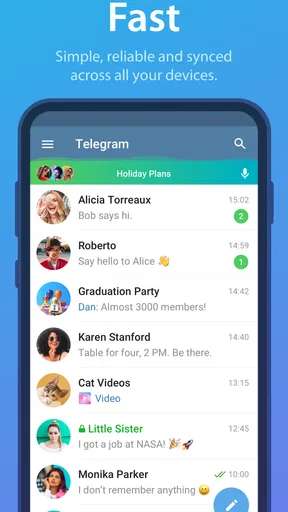

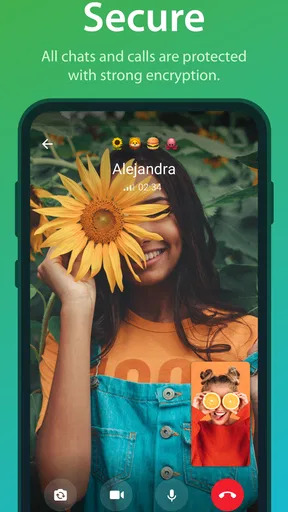
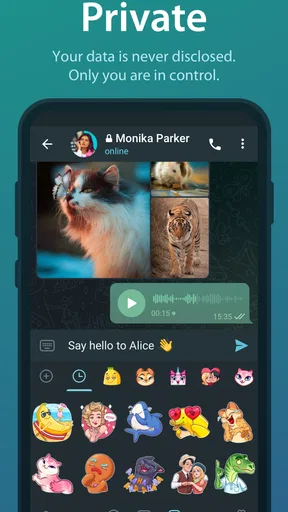
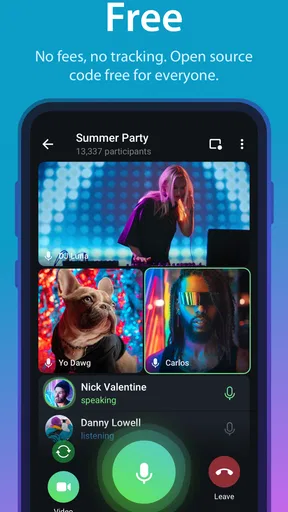
 Analysis by AppCompare
My experience with Telegram depends on the connection more than the tidy interface first suggests. When the network is steady, chats, shared media and synced conversations make it easy to move between people and devices. When coverage gets patchy, the app’s usefulness naturally narrows: sending and receiving messages, loading channel posts and opening shared files all rely on getting data through. I’d treat it as a capable online communication hub, not as a substitute for having a fallback when a message has to reach someone immediately.
When a message is waiting on the network
Telegram is a free communication app from Telegram FZ-LLC, and its current version is 12.7.3. The speed-focused design feels most convincing when I’m switching among active chats or catching up on a busy channel over a reliable connection. Conversations sync across devices, which is useful when I start on my phone and later want to continue on a tablet or desktop. The trade-off is that syncing is not a magic fix for poor reception: if a page or attachment is still loading, changing devices won’t make the underlying connection stronger.
A practical habit is to separate urgent messages from things that can wait. I use a direct chat for a time-sensitive plan, then return to a channel or group discussion when I have a better signal. Channels are useful for following one-to-many updates, but they can also create a lot to catch up on. If I’m travelling or between appointments, I check the people and conversations that need an answer first rather than trying to load every new post at once.
How it fits into a mobile day
On a phone, Telegram can serve several different routines without requiring every conversation to look the same. A family chat can handle a quick change of plans; a channel can carry announcements I want to scan later; and a bot can be handy for a small task inside the app. That variety is a strength for someone who likes keeping communication and useful extras together. It can also make the app feel busier than a basic messenger, especially if I follow many channels or try several bots before deciding which ones are worth keeping.
For example, imagine I’m heading across town to meet friends. I can check the group chat for the latest meeting point, send a photo or document if it helps, and glance at a channel while waiting. If the signal drops on the way, I don’t assume every item has reached everyone just because I tapped send. I check the conversation again when service returns, especially if the detail matters. That small pause is sensible in any network-dependent messenger, but it matters when plans are moving quickly.
Recovery after a weak connection
Telegram’s multi-device syncing is helpful for continuity, but I still think of it as a convenience rather than a guarantee that every interruption disappears. If a conversation looks incomplete, I first give the connection a moment and reopen the chat before sending the same message again. Repeatedly tapping send can create duplicates if the original goes through after a delay. For an important file, I also make sure it appears in the conversation before I tell someone it is ready.
That approach is less dramatic than blaming the app for every pause. A poor mobile connection can slow down a chat service, and a large attachment may take longer to transfer than a short text. Telegram’s file-sharing is a genuine draw, yet it is worth matching the file to the situation: a quick note is better for an urgent detail, while a substantial document can wait until the connection is more dependable. This is one reason I wouldn’t use a single chat app as my only plan for a critical deadline.
Worth Reading Before You Choose

Baby Panda World Brings Quick Play to Modern Phones, but Its Game Library Feels Busy

ESPN’s Live Game View Makes Following Close Games Easier

QuizzLand Review: A Good Fit for Short Trivia Breaks, Not Every Player

Basketball Stars: Multiplayer Is Fast, but Can It Recover When Matches Go Wrong?

WEBTOON Turns Phone Updates Into a Better Reading Routine

Link to Windows Runs on Shared Habits, Not Social Feeds
Using it thoughtfully with limited data
Media-rich conversations can be more demanding than plain text, so I pay attention to what I choose to open and send when I’m on a limited mobile plan. Channels in particular can mix frequent updates with images, GIFs and other media. Following only the channels I genuinely read makes the feed easier to manage and avoids turning every spare moment into a catch-up session. Muting or leaving a noisy conversation can be a practical organization choice, not a judgment about the people in it.
I also think about the recipient’s connection before sending a large video or a batch of files. Telegram supports files up to 2GB each, which is convenient when the content really needs to be shared in full, but size alone doesn’t make a transfer considerate. A short explanation in the message helps the other person decide when to open it. If a simple image or a few lines will do, I choose those instead. That keeps the exchange easier to handle for both sides.
The app is free to install, with in-app purchases ranging from around thirty cents to around two hundred ninety dollars per item. Its average rating is 3.9 from around seventeen million ratings, and it has over one billion installs. It is rated Mature 17+, so I’d keep that in mind when choosing an app for a younger user or a shared family device. These broad signals show how widely used it is, but they don’t tell me whether its style fits a particular person’s habits.
Who will get the most from it?
I’d recommend Telegram to people who want more than one-to-one messaging: people who follow announcement channels, share sizeable files, use bots for small tasks, or move between mobile and desktop conversations. Its combination of chats and public-facing content is different from the simpler feel of many standard messengers. If the people I need to reach already use it, that mix can make it a convenient everyday home for conversations and updates.
I’d be more cautious about recommending it to someone who wants the simplest possible app, relies mainly on video calls, or expects every conversation to use the same privacy model. Secret Chats have end-to-end encryption, while the original article’s distinction between those and other chats is important; I would not treat every Telegram conversation as if it had identical protections. Someone whose main requirement is end-to-end encryption by default across ordinary chats may prefer a messenger built around that approach. Likewise, if nearly all my contacts use another service, asking everyone to switch may not be worth the effort.
The User Experience: Sleek and Intuitive
First off, let’s talk about the user interface. Telegram doesn't bombard you with unnecessary frills. It's got that clean, minimalist design that makes navigation a breeze. Everything feels intuitive, from setting up your profile to diving into chats. And the best part? It’s super-fast. I mean, lightning-fast. Whether you’re on Android or iOS, the app runs smoothly without a hitch.
Features That Stand Out
Now, onto the features. Telegram is packed with them, making it so much more than just a messaging app. You’ve got your standard text and media sharing, of course. But what really sets it apart are the extras.
- Secret Chats: These are perfect for when you need that extra layer of privacy. They’re encrypted, self-destructing, and can’t be forwarded. It’s like having a spy mode in your pocket!
- Channels: A fantastic way to broadcast messages to a large audience. You can follow channels on anything from news to memes, and they’re a great way to stay updated.
- Bots: Telegram’s bots are pretty incredible. They can do everything from playing games to helping you manage your tasks. It’s like having a personal assistant right in the app.
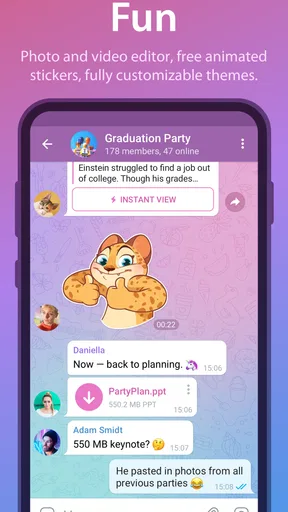
- Stickers and GIFs: Because who doesn’t love a good sticker or GIF? Telegram’s library is extensive, and you can even create your own.
Security and Privacy: A Strong Focus
In an age where privacy is a hot topic, Telegram stands tall with its robust security features. It uses end-to-end encryption for its Secret Chats and a combination of 256-bit symmetric AES encryption, 2048-bit RSA encryption, and Diffie–Hellman secure key exchange for its other chats. What does this all mean? Basically, your conversations are super secure.
Plus, Telegram doesn’t store your data, which is a big win for privacy-conscious users. You can also set up two-step verification for that extra peace of mind.
Cross-Platform Versatility
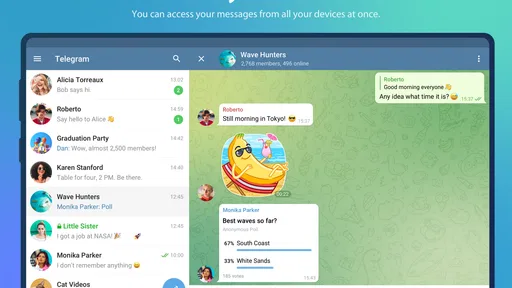
One of the app’s biggest advantages is its cross-platform capabilities. You can use Telegram on virtually any device, from smartphones to tablets to desktops. And get this, you can even use it on multiple devices simultaneously without any annoying hiccups. Your conversations sync seamlessly, so you’re always in the loop, no matter where you are.
Also, there’s the option to send large files – we're talking up to 2GB per file. It’s perfect for sharing videos, high-resolution images, or even big documents without breaking a sweat.
Room for Improvement?
No app is perfect, and Telegram is no exception. While the app offers a host of features, some users might find the plethora of options a bit overwhelming at first. There's a slight learning curve if you want to make the most out of all its capabilities. But once you get the hang of it, it’s smooth sailing.
Another point to consider is that while Telegram is great for privacy, it might not be the go-to app for users who rely heavily on video calls, as its video call feature is still developing compared to some competitors.
The Final Word
In conclusion, whether you’re looking for a secure messaging app, a platform to follow your favorite content, or just a place to chat with friends and family, Telegram ticks all the boxes. It’s fast, secure, and packed with features that make it stand out in the crowded world of messaging apps.
So, if you haven’t tried it yet, give it a shot. You might just find yourself swapping over to Telegram for good. Happy chatting!
My connectivity verdict
For me, Telegram works best when I use its different parts deliberately: direct chats for conversations, channels for updates, and file sharing when the size is useful rather than merely possible. The app’s breadth is valuable, but it asks me to make choices about notifications, privacy and media instead of leaving everything on autopilot. Telegram was released on September 6, 2013, and its current version is 12.7.3; its long history and broad reach do not remove the need to check that it suits the way I communicate now.
Against a basic messenger, I value its channels, bots, stickers and multi-device use, while a simpler alternative may be easier for relatives who only want to send a message and make a call. Against services that emphasize default end-to-end encryption or video calling, Telegram’s strengths are different, so I’d compare the specific needs of my regular contacts rather than choose by feature count. If dependable connectivity, a flexible mix of conversations and content, and room to customize matter to you, it is worth trying. If you want minimal choices, a call-first experience or the same privacy setting in every chat, another app may be the more comfortable fit.
Pros
- User-friendly interface and easy navigation.
- Supports large group chats and channels.
- Offers secure end-to-end encryption.
- Free to use with no hidden charges.
- Cross-platform availability.
Cons
- Limited customization for themes.
- Voice call quality can vary.
- Occasional notification delays.
- Media files have a size limit.
- No automatic backup to cloud services.
FAQs for Telegram
What are the unique features of Telegram compared to other messaging apps?
Telegram offers several unique features that set it apart from other messaging apps. It provides cloud-based messaging, allowing you to access your messages from multiple devices. The app also supports large group chats with up to 200,000 members, offers end-to-end encryption through Secret Chats, and features a robust bot API for automation and customization.
How secure is Telegram for messaging and sharing files?
Telegram prioritizes security with features like end-to-end encryption for Secret Chats, self-destructing messages, and two-step verification. However, regular chats are cloud-based, which means they are encrypted but not end-to-end encrypted by default. Users should use Secret Chats for the highest level of security when sending sensitive information.
Can Telegram be used for professional or business purposes?
Yes, Telegram is suitable for professional or business use. It supports large groups, channels for broadcasting messages, and powerful bots to automate tasks. Businesses can use Telegram to communicate with clients, manage teams, and even provide customer support. The app's API also allows for integrations with other tools and services.
What platforms is Telegram available on, and is it free to use?
Telegram is available on a wide range of platforms, including Android, iOS, Windows, macOS, and Linux. It also offers a web version for browser use. The app is completely free to download and use, with no subscription fees or in-app purchases. Telegram sustains itself through donations and a commitment to remain ad-free.
How does Telegram handle media and file sharing?
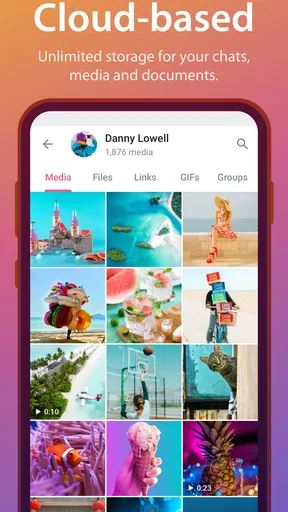
Telegram allows users to share a wide range of media and files, with support for up to 2GB per file. The app handles various file types, including documents, images, videos, and audio. Users can also create and share polls, quizzes, and even locations. The cloud-based storage ensures that you can access shared files anytime, anywhere.


